Node.js is a popular programming language powering many platforms serving millions of customers with billions of transactions per second around the globe. The design of Node.js is influenced by systems like Ruby’s Event Machine and Python’s Twisted. Node.js even takes the event model a bit further by presenting an event loop as a runtime construct instead of as a library. In this short article we will cover the steps that you’ll need to install Node.js 24,22,20 and 18 on Amazon Linux 2023.
For new users getting started with software development, it is worth noting that Node.js is an asynchronous event-driven JavaScript runtime designed for building scalable network applications. It is able to handle many connections concurrently. Upon each connection, the callback is fired, but if there is no work to be done, Node.js will sleep.
Install Node.js 24,22,20,18 on Amazon Linux 2023
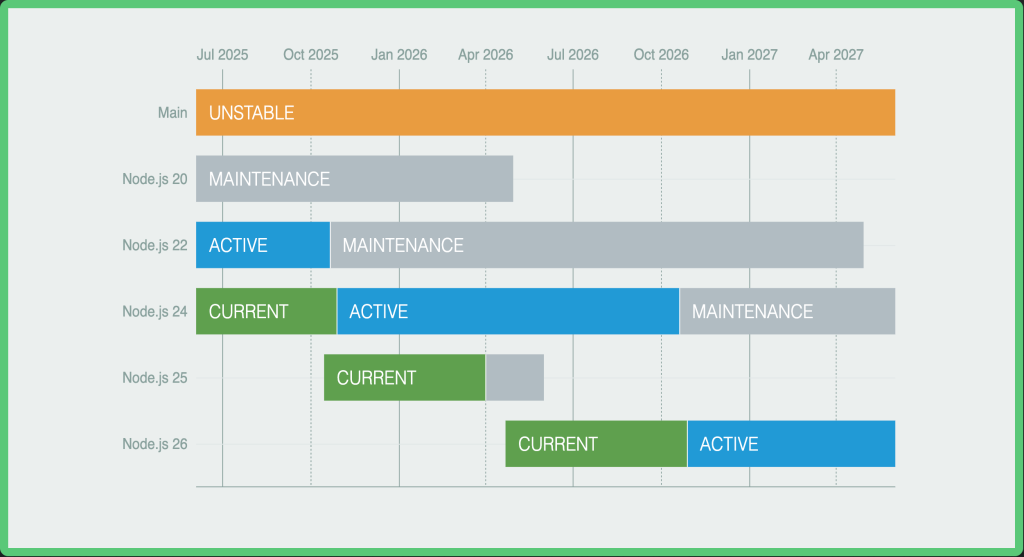
All major releases of Node.js enter Current release status for six months after which the odd-numbered releases (21, 23, etc.) become unsupported, and even-numbered releases (22, 24, etc.) move to Active LTS status and are ready for general use. For any production use. It is recommended to use the LTS releases which guarantees that critical bugs will be fixed for a total of 30 months.
In this blog post we will cover installation of Node.js 24,22,20,18 on Amazon Linux. The installation is simplified with the use of a script created by Node.js Development team.
For the installation we’ll be using curl to download the script. If curl is not installed pull it by running the following command.
sudo yum -y install curlOnce curl is installed, run any of the commands below to setup repository for Node.js on Amazon Linux.
### Install Node.js 24 ###
curl -fsSL https://rpm.nodesource.com/setup_24.x | sudo bash -

### Install Node.js 22 ###
curl -fsSL https://rpm.nodesource.com/setup_22.x | sudo bash -

### Install Node.js 20 ###
curl -fsSL https://rpm.nodesource.com/setup_20.x | sudo bash -

### Install Node.js 18 ###
curl -fsSL https://rpm.nodesource.com/setup_18.x | sudo bash -
Once it has been executed you can then install Node.js and npm with yum command.
sudo yum install -y nodejsIf you need Node Development tools install them by running the following commands in your terminal.
sudo yum -y install gcc-c++ makeTo install the Yarn package manager, run:
curl -sL https://dl.yarnpkg.com/rpm/yarn.repo | sudo tee /etc/yum.repos.d/yarn.repo
sudo yum -y install yarn
Confirm Node.js installation on Amazon Linux 2023
We need to confirm our installation of Node.js was successful on Amazon Linux 2023. The first thing to check is the version.
$ node --version
v24.11.1
Create a test Node Hello World application.
sudo tee hello-world-app.js > /dev/null <<'EOF'
const http = require('http');

const hostname = '0.0.0.0';
const port = 3000;

const server = http.createServer((req, res) => {
  res.statusCode = 200;
  res.setHeader('Content-Type', 'text/plain');
  res.end('Hello World');
});

server.listen(port, hostname, () => {
  console.log(`Server running at http://${hostname}:${port}/`);
});
EOF
Once the file is created run your web server using the following command:
node hello-world-app.jsThe service will listen on port 3000:
$ ss -tunelp | grep 3000
tcp    LISTEN   0        128             127.0.0.1:3000          0.0.0.0:*       users:(("node",pid=4877,fd=18)) uid:1000 ino:27776 sk:a <->
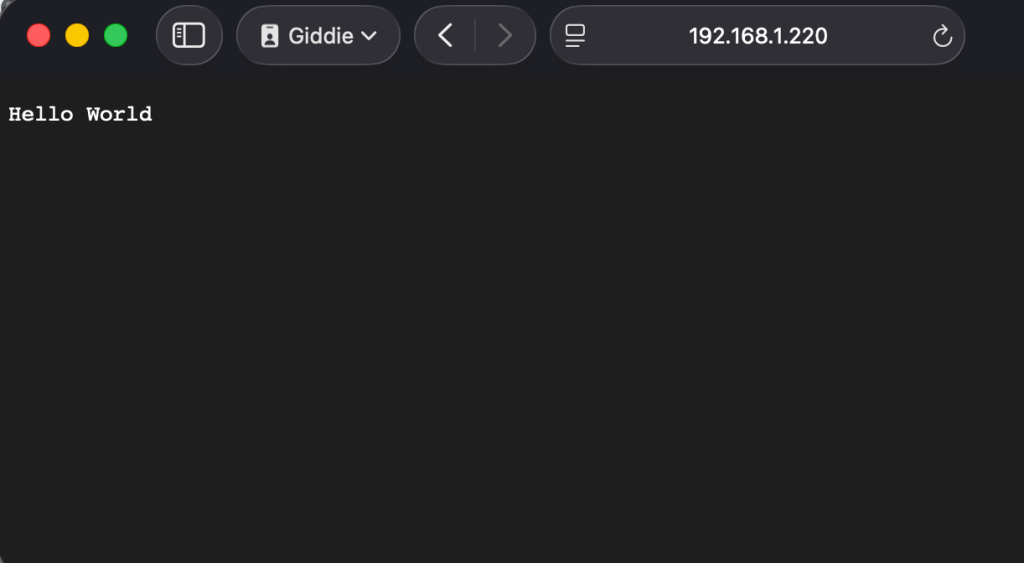
Visit http://localhost:3000 or http://SERVER_IP:3000 and you will see a message saying “Hello World“.
Enjoy doing your daily Development projects with Node.js on Amazon Linux. If you’re deploying an application on Production environments you may need to use PM2 Node.js application process management application. To Install PM2 use the command:
npm install pm2 -gMore guides: